Instagram Private Account Downloader: What Actually Works in 2026
Can you really download content from private Instagram accounts? Learn what's possible, what's not, and how iGram's private downloader feature works.
Free Instagram Downloader
Download Reels, Stories, Photos & Videos — no app needed.
Understanding Instagram's Privacy Model
When an Instagram account is set to private, the platform enforces access control at the server level. This is not just a UI decision — it is a genuine technical boundary. Here is what it means in practice:
Public accounts: Content is served to anyone who requests it, whether or not they have an Instagram account. Instagram's CDN delivers photos, videos, and stories to any browser or app that asks for them by URL. This is why tools like iGram can download public content — the files are technically accessible to anyone on the internet.
Private accounts: Content is gated behind Instagram's authentication system. When you request a private account's photo or video, Instagram's servers first check whether your session token (your login) belongs to an account that the private user has approved as a follower. If you are not an approved follower, the server returns an error — not the media file. The media URL itself does not exist in accessible form for unauthorized users.
This is fundamentally different from public content. For public content, the file is out there; the challenge is just finding its direct URL. For private content, the file is deliberately hidden behind a server-side authentication wall that only Instagram controls.
No tool that runs on your device or on external servers can circumvent this authentication check without providing valid Instagram credentials for an approved follower account. This is simply how the web and authentication work.
What iGram's Private Downloader Can Do
iGram's Private Account Downloader is honest about what it offers, which distinguishes it from many competing tools that make misleading claims.
What it can do:
Download your own private posts. If your own Instagram account is set to private, your posts are visible to you when you are logged in. You can copy the URL of any of your own posts and use iGram to download them as a file. Your session credentials are embedded in the link structure in a way that makes your own content accessible.
Download content from private accounts you follow. If you are an approved follower of a private account, you can see their content when logged into Instagram. In some cases, copying the direct link to a post while logged in and viewing it as an approved follower will work with iGram, because the URL you copy reflects your authenticated session. This behavior can be inconsistent depending on how Instagram structures the link in a given moment, but it is the intended use case for iGram's private downloader.
Download your own stories and highlights from a private account. If your account is private and you post stories, you can copy the story link while viewing your own story and download it through iGram.
What this means practically: iGram's private downloader is designed for people who legitimately have access to content — either because it is their own account or because they are an approved follower — and want to save a local copy of that content. It is not a bypass tool.
What No Tool Can Legitimately Do
It is worth being direct about the limits of what is technically possible, because a significant portion of search results for "private Instagram downloader" lead to tools that claim capabilities they cannot actually deliver.
No tool can download content from a private account you don't follow. Full stop. If you are not an approved follower, Instagram's servers will not serve you the content. A tool running on your device cannot change this, because the gate is on Instagram's servers, not your device.
No tool can "unlock" or "bypass" a private account without authentication. If a tool claims to show you private account content without asking for any credentials — not yours, not the account owner's — it is lying. Either it is showing you cached/old content from before the account went private, it is fabricating content, or it is simply broken.
No browser extension can see private content you can't see. A browser extension operates within the context of your browser session. If you are not logged in as an approved follower, the extension has no more access than you do.
"Viewer" tools that claim to show private profiles are nearly always scams. We will explore this more in the next section.
Why "Download from Any Private Account" Claims Are Scams
A Google search for "private Instagram downloader" returns many results claiming to let you view and download private profiles without following them. Understanding why these tools are fraudulent protects you from wasting time, giving away personal data, or exposing yourself to malware.
The Survey/Human Verification Trap
The most common scam format: you paste a private account URL, the tool appears to "load" the account (often with a progress bar and fake preview screens), then tells you to complete a "human verification" survey to get your results. The survey never ends, or it collects your personal information, or it leads to a subscription sign-up. The private content never materializes because it never existed.
These sites make money from the survey completions, affiliate sign-ups, or data collection — not from providing a genuine service.
The App Install Redirect
Some sites will process your URL and then tell you to install an app (Android APK downloaded outside the Play Store, or a browser extension) to "access the full results." These apps frequently contain malware, adware, or data-harvesting code. Never install software from unknown sources to access Instagram content.
The Credential Phishing Trap
Some fraudulent tools ask you to "log in with Instagram" to access private content. They claim they need your credentials to fetch the content on your behalf. In reality, they are harvesting your Instagram username and password. Your account is then used for spam, sold, or held for ransom. Never enter your Instagram credentials on any third-party website.
The rule is simple: If a tool claims to show you private Instagram content you don't already have legitimate access to, it is a scam. The technical barrier is real, and no legitimate tool can circumvent it.
How to Download Your Own Private Content
If your goal is to download your own content from your private Instagram account, here is the straightforward approach using iGram.
Method 1: Copy the Link While Logged In
Step 1: Log into your Instagram account on the app or website.
Step 2: Navigate to the post, reel, or story you want to download from your own private profile.
Step 3: Copy the link using the three-dot menu and "Copy link."
Step 4: Open igram.site/instagram-private-downloader in your browser.
Step 5: Paste the URL and tap/click Download.
Because you copied the link while authenticated as the account owner, the URL often contains session information that allows iGram to retrieve your content.
Note: This method works most reliably for your own posts. If the link does not work on the first attempt, try copying it again while actively viewing the post (not from a bookmarks list or notification).
Method 2: Temporarily Make Your Account Public
If you have multiple posts you want to archive:
Step 1: Go to Instagram Settings > Account privacy.
Step 2: Toggle your account to Public temporarily.
Step 3: Download all the posts you want to save using iGram's standard downloader.
Step 4: Switch your account back to Private.
This approach is practical when you want to bulk-download your own content without wrestling with session link behavior. The window where your account is public is typically only a few minutes.
Method 3: Use Instagram's Official Data Export (Recommended for Complete Archives)
For a complete download of all your own content, Instagram's built-in data export is the most reliable method. This is covered in detail in the next section.
Instagram's Official Data Download
Instagram provides a built-in tool that lets you export a complete copy of your own account data. This is the most thorough and reliable way to archive your own private content — it includes everything, not just individual posts.
What is included:
- All photos and videos you have posted (including archived posts)
- Stories (within a certain retention window)
- Story highlights
- Reels
- Direct message media
- Account information and profile picture
- Comments, likes, and saved posts
- Followers and following lists
How to request your data:
- Open Instagram and go to Settings (tap your profile picture, then the menu icon or Settings option depending on your app version).
- Go to Your activity (or Account on older app versions).
- Select Download your information.
- Enter the email address where you want to receive the download link.
- Select HTML or JSON format. HTML is more human-readable; JSON is better for importing into other tools.
- Tap Request download.
Instagram will process the request and email you a download link within a few minutes to several days, depending on how much data your account contains. The larger your account, the longer it takes.
The downloaded archive contains:
- Photos and videos in their original uploaded format (or close to it)
- Story content with timestamps
- A browsable HTML interface if you chose HTML format
Limitations:
- The process can take hours or days for large accounts
- Some media may be lower resolution than what you originally uploaded (Instagram normalizes it)
- The data export is only for your own account — you cannot use this to access others' content
For individual posts you want to save right now rather than as part of a bulk archive, iGram is faster. For a complete historical backup of your account, Instagram's official tool is more thorough.
Safety and Account Security
The risks associated with private Instagram downloaders are worth emphasizing because the consequences of making a mistake here can be severe.
Never give your Instagram password to a third-party tool. Instagram's own developer guidelines prohibit third-party apps from asking for your password. Any tool that asks for your Instagram username and password is operating outside Instagram's rules and poses a direct risk to your account security.
If your credentials are compromised:
- Your account can be taken over immediately
- Spammers can use it to send fraudulent messages to your followers
- Your private content becomes accessible to the attacker
- Account recovery can take weeks, and is not always successful
iGram does not ask for your Instagram credentials. This is a deliberate design choice. The iGram Private Account Downloader works with links you copy while you are already authenticated in the Instagram app — it does not need your password to assist you.
Watch for phishing sites that mimic iGram. Always verify you are on igram.site and not a similar-looking domain (igrams.site, igramm.site, etc.). The official site is igram.site, and it does not ask for passwords.
Review your authorized apps regularly. In Instagram Settings > Security > Apps and websites, you can see all third-party apps that have been granted access to your account. Revoke access for any apps you don't recognize or no longer use. This is good hygiene regardless of whether you use any downloaders.
Tips for Creators Who Want to Share Private Content
Sometimes the question is not "how do I download from a private account" but "how do I share my own private account content with people who don't follow me." Here are the right ways to do this:
Share specific posts via DM. In the Instagram app, tap the paper airplane icon (share button) on any of your posts and send it directly to someone's DM. They can view it within the app even if your account is private, as long as you send it to them directly. This is the cleanest approach for individual posts.
Create a Close Friends list for selective sharing. Instagram's Close Friends feature lets you share stories with a curated subset of your followers — a client, a specific group, a family. This is useful for sharing content that you want to keep off your main public feed but still share with specific people.
Download and share the file directly. Using iGram to download your own private post and then sharing the file via WhatsApp, email, AirDrop, or any other messaging platform is perfectly legitimate. You own your own content.
Create a secondary public account. If you regularly need to share professional or portfolio content with people who don't follow your personal (private) account, consider a separate professional account set to public. This is what many creators do — a private personal account and a public creator or business account.
Use Instagram's Collaboration feature. The collab post feature lets you co-author a post that appears on both collaborating accounts. If you want a public creator to feature your content, using collab posts means the content lives on their public account (with your account credited) without requiring your personal account to be public.
The Ethics of Private Account Downloading
This article would be incomplete without addressing the ethics directly, because the desire to download private Instagram content often involves real people's privacy choices.
When someone sets their account to private, that is a deliberate choice. They have decided they want to control who sees their content. Circumventing that choice — even technically possible through some workaround — is a violation of their expressed preference.
Approved followers have implicit responsibilities. If you follow a private account, you have been trusted with access to their content. Downloading it and distributing it to others, or using it in ways the creator would not want, is a betrayal of that trust and can constitute harassment, copyright infringement, or in some jurisdictions, a violation of privacy laws.
The scenario of downloading your own content is entirely different. There is nothing ethically complicated about saving a copy of your own posts, stories, or reels. Your own content is yours.
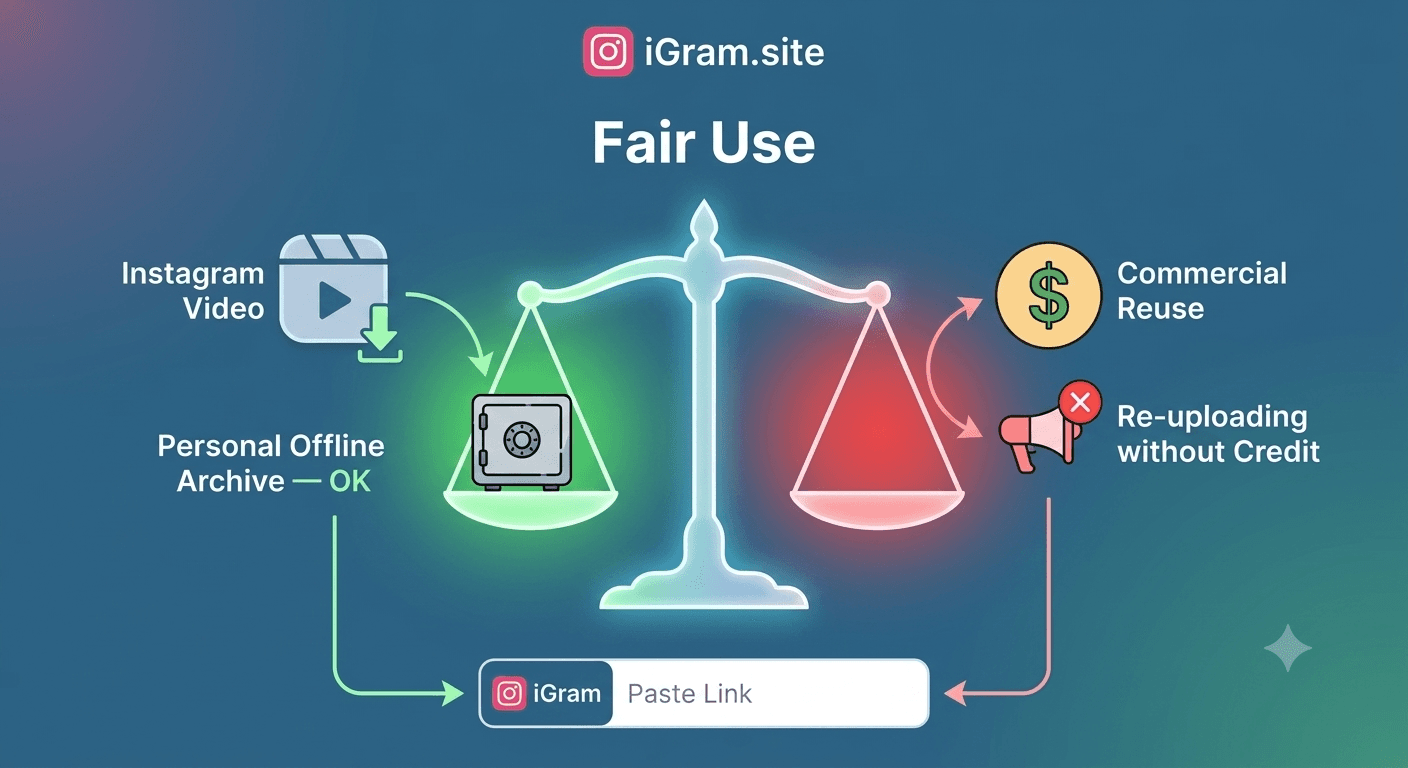
Legitimate access means legitimate downloading. If you can see it because you are an approved follower, downloading it for personal archiving is not materially different from screenshot-saving — it is just higher quality and more efficient. The line is crossed when you distribute that content to others without the creator's permission.
The right question to ask before downloading any private content is not "can I do this technically?" but "would the person who posted this be comfortable knowing I saved this?" If the answer is no, don't do it.
Frequently Asked Questions
Can iGram really download from private Instagram accounts? iGram can help you download content from private accounts you have legitimate access to — specifically your own private content and content from accounts you follow. It cannot bypass Instagram's authentication to access accounts you do not follow. See the iGram Private Account Downloader page for full details.
Is there any tool that can actually download from private accounts I don't follow? No legitimate tool can do this. Instagram's privacy controls are server-side authentication gates — the content simply is not delivered to unauthorized users at the network level. Any tool claiming otherwise is either a scam, is displaying fabricated results, or requires you to provide Instagram credentials (which creates severe account security risks).
Does iGram ask for my Instagram password? No. iGram never requests your Instagram username, password, or any login credentials. If any website claiming to be a downloader asks for these, leave immediately.
What should I do if I accidentally gave my Instagram password to a third-party site? Change your Instagram password immediately (Settings > Security > Password). Enable two-factor authentication if you haven't already. Review authorized apps under Settings > Security > Apps and websites and revoke any suspicious access. If your account shows signs of unauthorized activity, use Instagram's account recovery process.
Can I download my own archived Instagram posts? Yes. Archived posts are visible to you when logged in. You can copy their links and use iGram to download them. Instagram's official data export also includes archived content.
What is the best way to back up my entire private Instagram account? Instagram's official data download tool (Settings > Your activity > Download your information) is the most comprehensive option. It exports all your posts, stories, highlights, and account data. For individual posts you want immediately, iGram is faster.
If I follow a private account and download one of their posts, is that legal? It exists in a gray area. You have legitimate viewing access as an approved follower, so the access itself is authorized. However, Instagram's terms of service technically prohibit unauthorized downloading regardless of follow status. Personal archiving of content you have legitimate access to is generally tolerated, but distributing or republishing the content without the creator's permission is copyright infringement.
Can the creator tell if I downloaded their private post? No. Downloading through iGram does not trigger any notification to the creator. However, if you were to repost or share the content in a way that traces back to you, the creator could infer you saved it.
Written by
iGram Team
The iGram team creates in-depth guides on Instagram tools, downloading tips, and social media best practices.
Related Articles
Ready to Download?
Free, fast, no registration. Download any Instagram content in seconds.
Open iGram — It's Free