What Is iGram? The Ultimate Free Instagram Downloader Explained
Discover what iGram is, how it works, and why millions use it to download Instagram videos, reels, stories, and photos for free.
Free Instagram Downloader
Download Reels, Stories, Photos & Videos — no app needed.
What Is iGram?
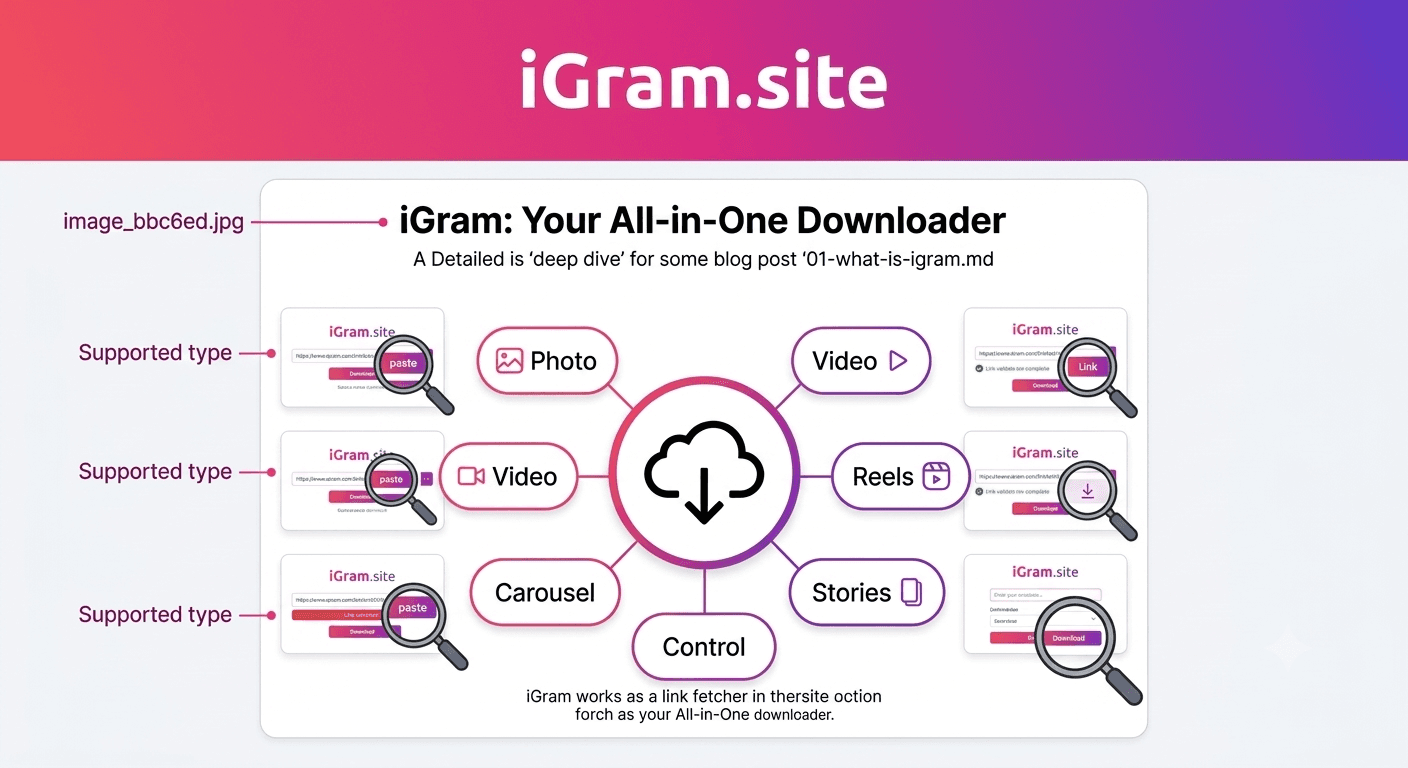
iGram is a free, browser-based tool that lets you download content from Instagram — videos, reels, stories, photos, carousels, IGTV videos, and story highlights — directly to your device without installing any app or creating an account.
The premise is simple: Instagram doesn't offer a native download button for most content. You can "save" a post within the app, but that only bookmarks it inside Instagram — if the post is deleted or the account goes private, your saved version disappears with it. iGram solves this by giving you an actual file on your device: a real MP4 video or JPEG image that lives on your phone, tablet, or computer independently of Instagram's servers.
What makes iGram different from the dozens of similar tools that come and go is consistency and reliability. The tool works in any modern browser, handles all major Instagram content formats, and delivers files at the highest quality Instagram makes available — typically full HD for videos and the original resolution for images.
You can explore everything iGram offers at igram.site, and learn more about the project's background on the About iGram page.
What Content Types Can You Download?
iGram supports essentially every type of content Instagram hosts. Here is a breakdown of what each downloader handles:
Instagram Videos and Reels
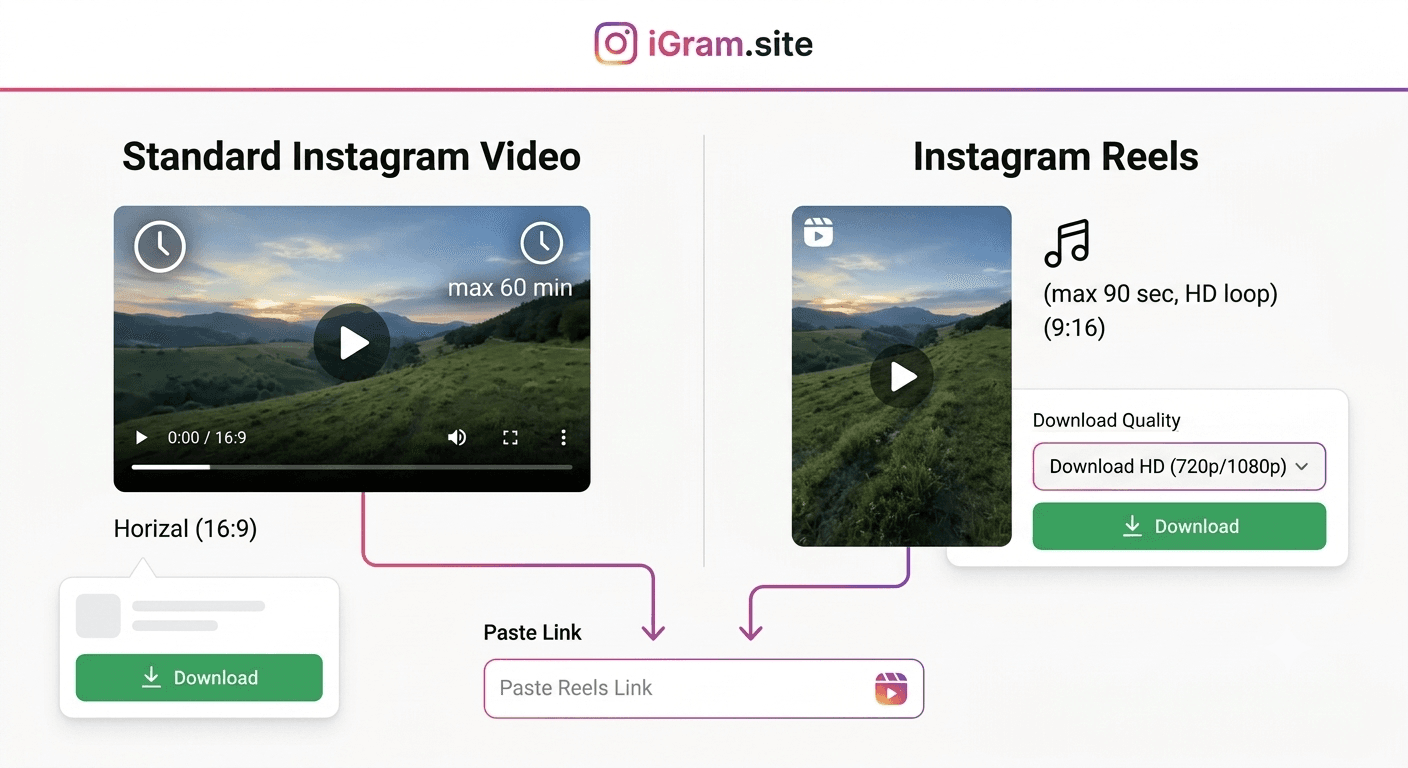
Short-form video is the dominant format on Instagram right now, and the iGram Reel Downloader is one of the most-used features on the site. Reels can be up to 90 seconds long, and iGram downloads them as MP4 files at the highest available resolution — often 1080p.
Stories
Stories disappear after 24 hours, which is precisely why having a downloader matters. The iGram Story Downloader handles both video stories and photo stories from public accounts. Since Instagram doesn't notify story owners when you download (as opposed to when you take a screenshot on some platforms), this is the cleanest way to save stories from public accounts.
Photos and Image Posts
Single-image posts, portrait shots, product photography, infographics — the iGram Photo Downloader saves Instagram images in their original JPEG format at the resolution Instagram stores them, which is typically 1080px on the longest edge for standard posts.
Carousel Posts (Multi-Photo Albums)
Carousel posts contain anywhere from 2 to 20 photos or videos in a single swipeable post. The iGram Carousel Downloader fetches all items in a carousel at once, so you don't have to download them one by one.
IGTV Videos
IGTV allows longer-form video content on Instagram, sometimes running 10, 30, or even 60 minutes. The iGram IGTV Downloader handles these larger files and downloads them as standard MP4 files compatible with any video player.
Story Highlights
Highlights are curated story collections that creators pin to their profiles — they don't expire the way regular stories do, but they can be removed at any time. The iGram Highlight Downloader lets you save individual highlight videos and images.
Threads Videos
As Instagram's parent company expands its ecosystem, Threads has become a significant content platform. The iGram Threads Video Downloader handles video content posted to Threads.
How Does iGram Work?
The workflow is deliberately minimal. There are three steps:
Step 1: Copy the URL
Navigate to the Instagram post, reel, story, or video you want to download. On mobile, tap the three-dot menu (•••) on the post and select "Copy link." On desktop, click the three-dot menu and choose "Copy link." For stories, tap the three-dot icon at the bottom of the story screen.
Step 2: Paste It Into iGram
Open igram.site in your browser, paste the URL into the input box, and press the Download button.
Step 3: Download Your File
iGram fetches the content from Instagram's servers, identifies all available quality options, and presents download buttons. Tap or click the option you want — typically the highest resolution — and the file saves to your device.
The entire process usually takes under ten seconds for a standard post. Larger files like long IGTV videos may take slightly longer depending on your connection speed, but the processing on iGram's side is near-instant.
What Happens Behind the Scenes?
When you submit a URL, iGram's servers make a request to Instagram's CDN (content delivery network) to retrieve the media files. Instagram hosts videos and images on publicly accessible URLs — they are just not linked to from an obvious download button in the UI. iGram resolves those URLs and passes them back to you, effectively acting as a bridge between you and the file Instagram already hosts publicly.
This is important to understand: iGram does not store copies of Instagram content on its own servers. It retrieves the direct download URL from Instagram and gives it to you. This is both a technical and a legal distinction — the content comes from Instagram's own infrastructure.
Key Features That Set iGram Apart
No Registration Required
You do not need to create an account, log in with Instagram credentials, or provide any personal information. Paste a URL, get a file. That is the entire interaction.
This matters for privacy (discussed below) and for convenience. Many competing tools bait users into signing up with a free tier before revealing that the actual download is locked behind a paywall. iGram has no such gate.
No Watermark
Some download tools stamp a watermark on every video they process. This makes sense as a branding strategy for the tool's creators, but it makes the downloaded content less useful — particularly if you want to re-post content you have permission to share, or simply keep a clean archive.
iGram adds no watermarks. Files you download are identical to what Instagram serves.
HD Quality
iGram always attempts to retrieve the highest quality version Instagram makes available. For videos, this is typically 1080p at 30fps. For images, it is the full-resolution JPEG Instagram stores (usually 1080px wide). If multiple quality options exist, iGram lets you choose.
Works on Every Device
Because iGram is browser-based, it works on:
- Android phones (Chrome, Firefox, Samsung Internet)
- iPhones and iPads (Safari, Chrome)
- Windows laptops and desktops
- Macs
- Linux machines
- Chromebooks
You do not need to install anything. No app, no browser extension, no plugin.
Fast Processing
iGram uses server-side processing to resolve Instagram's media URLs quickly. Most standard posts resolve in two to three seconds. There is no queue or waiting period for free users.
Privacy and Safety
This is a question worth addressing directly because some Instagram downloader tools have poor reputations for data handling, ad injection, or malware distribution.
iGram does not require your Instagram login. Many competing tools ask you to authenticate with your Instagram account to "access private content." This is a significant red flag — providing your Instagram credentials to a third party puts your account at serious risk, both from potential credential theft and from Instagram's own terms of service enforcement (Instagram actively bans accounts that use unauthorized third-party tools with authentication access).
iGram does not log or store the URLs you submit. The URL you paste is used to fetch the media file and is not retained. There is no database of submitted URLs linked to your identity.
iGram is served over HTTPS. All communication between your browser and iGram's servers is encrypted.
No suspicious redirects or ad injections. The site uses standard advertising to cover operating costs, but it does not redirect you to malware pages or inject ads into downloaded files.
The general rule for any downloader tool: if it asks for your Instagram password, close the tab immediately.
iGram vs Screen Recording
A common alternative to using a downloader is screen recording. Here is why that approach tends to be worse:
Quality loss: Screen recording captures what your display renders, not the source file. On a standard smartphone screen, even a 1080p video will look worse when screen-recorded because of display scaling, compression artifacts from the recording codec, and any letterboxing. iGram gives you the original file.
Audio issues: Screen recordings pick up ambient sound through the device microphone alongside the video's audio. On some systems, screen recording captures system audio cleanly, but on many mobile devices — particularly iPhones — recording the screen does not capture Instagram's audio at all without workarounds.
Effort: You have to navigate to the content, start recording, watch the entire video at real speed, stop recording, then trim the beginning and end. With iGram, the file is on your device in seconds regardless of how long the video is.
Stories and Reels: For stories, you typically have to manually open each story while recording. For a highlight reel with 20 clips, that is a significant time investment. iGram lets you download individual story frames or entire highlights far more efficiently.
Screen recording has its place — particularly when you genuinely cannot get a shareable link to a post — but for most use cases, a proper downloader produces far better results.
Free vs Paid Alternatives
The Instagram downloader market includes both free and paid options. Here is where they differ:
Free Browser-Based Tools (including iGram)
Tools in this category require no payment and work directly in the browser. Quality varies significantly between tools. iGram is one of the more reliable free options because it handles all content types (not just standard videos), offers no-watermark output, and doesn't require login. The trade-off is that free tools display ads to cover costs.
Paid Desktop Applications
Some desktop apps charge a one-time or subscription fee for downloading Instagram content in bulk, scheduling downloads, or managing large archives. These tools can be useful for content researchers or social media managers who regularly download large volumes of content. For casual personal use, they are generally overkill.
Browser Extensions
Browser extensions for downloading Instagram content exist for Chrome and Firefox. The advantage is convenience — a button appears directly on Instagram's interface. The disadvantage is that extensions require ongoing maintenance as Instagram updates its code, and many extensions in this category have been found to collect browsing data. Review permissions carefully before installing any extension.
Instagram's Own Tools
Instagram offers an official "Download Your Data" feature (under Settings > Your activity > Download your information). This lets you export all your own posts, stories, messages, and account data. It is the right tool if you want a full archive of your own content, but it is not useful for saving content from other accounts — even public ones.
Legal and Ethical Considerations
The legal landscape around downloading social media content is nuanced, and it is worth understanding it clearly.
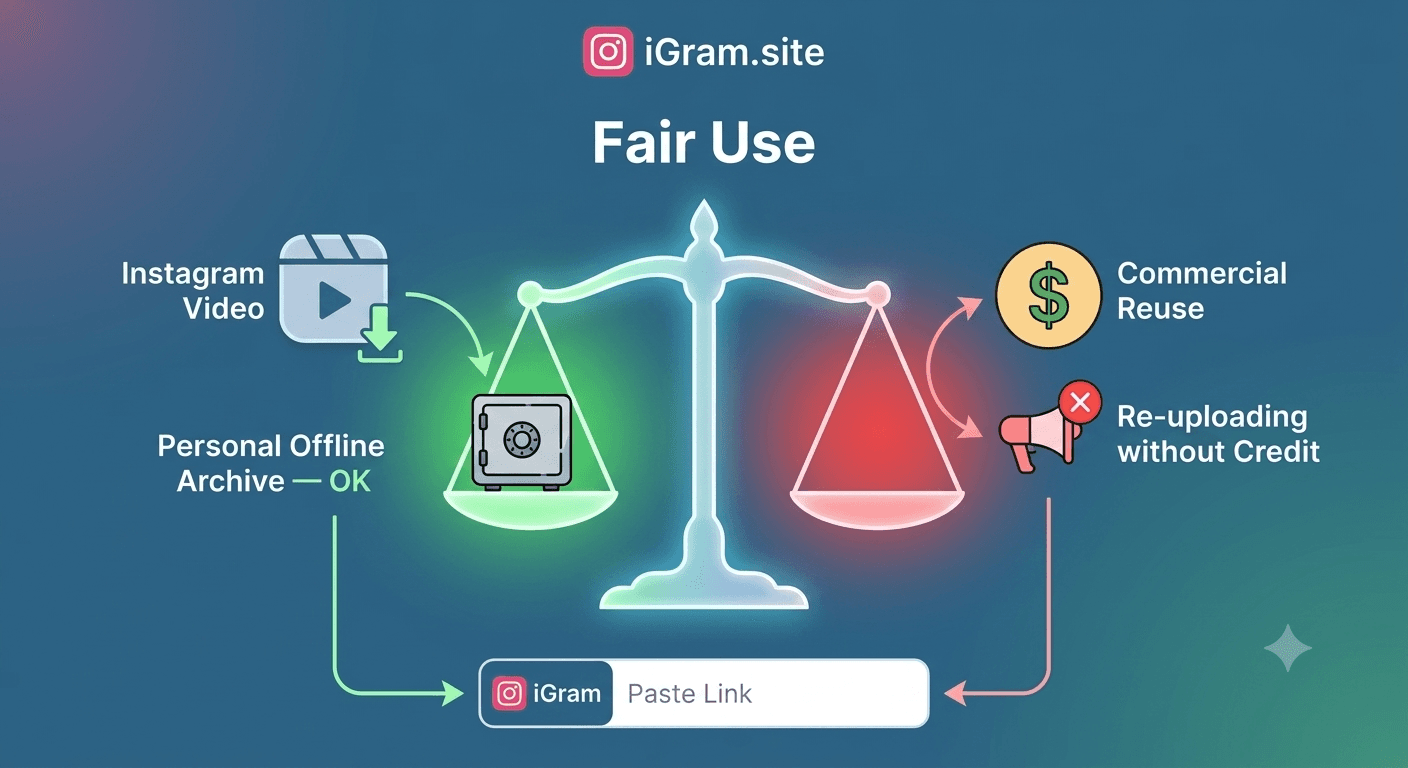
Downloading for personal use is generally tolerated. Most jurisdictions do not criminalize saving publicly posted content for private, non-commercial use. The same principle applies when you record a TV show with a DVR or save a webpage for offline reading.
Instagram's Terms of Service prohibit unauthorized downloading. Instagram's ToS explicitly restrict automated access to content and downloading outside their official interfaces. Violating ToS can result in account suspension, though enforcement is rare for individual users downloading small amounts of content.
Copyright always belongs to the content creator. When you download someone's photo or video, you are not acquiring rights to it. Redistribution, commercial use, or publishing content without the creator's permission can constitute copyright infringement, regardless of how you obtained the file. Downloading for personal reference, inspiration files, or offline viewing of content you would normally consume online is a very different matter from republishing it.
Never use a downloader to steal and repost content. This is both ethically wrong and legally risky. Always credit creators, ask permission before reposting, and use downloaded content responsibly.
iGram is a tool. Like most tools, its appropriate use depends on the judgment of the person using it.
Frequently Asked Questions
Is iGram completely free? Yes. iGram is free with no paywalled tiers, no trial periods, and no premium upgrades required for full functionality. The site displays advertising to cover server and development costs.
Do I need to install anything to use iGram? No. iGram works entirely in your web browser. There is no app to install, no browser extension required, and no account to create.
Does iGram work on iPhone? Yes. iGram works in Safari and other browsers on iOS. Note that on iPhone, downloaded videos typically save to the Files app rather than directly to your Camera Roll — you may need to move them manually using the Files app.
Can iGram download from private accounts? iGram can help you download your own private content when you are logged into your own account. It cannot access other users' private accounts — content that requires Instagram login credentials to view cannot be retrieved by iGram without those credentials, and iGram does not ask for them. Learn more on the iGram Private Account Downloader page.
Will the content creator know I downloaded their post? No. iGram retrieves media from Instagram's public CDN and does not interact with Instagram's notification system. The creator receives no notification of any kind when you use iGram.
Does iGram add a watermark to downloaded files? No. Files downloaded through iGram are identical to the original Instagram files — no watermarks, logos, or modifications.
What video quality does iGram download? iGram always retrieves the highest quality version Instagram makes available. For most reels and videos, this is 1080p. If Instagram only hosts a lower resolution version, that is what iGram will provide — the tool cannot upscale content.
Is it safe to use iGram? Yes, for standard public content downloads. iGram does not ask for your Instagram password, does not install anything on your device, and does not retain your data. As always, use common sense: if any website asks you to log in with your Instagram credentials to download content, do not comply.
Written by
iGram Team
The iGram team creates in-depth guides on Instagram tools, downloading tips, and social media best practices.
Related Articles

Ready to Download?
Free, fast, no registration. Download any Instagram content in seconds.
Open iGram — It's Free